Grounding Continuity Tester
Two tips.
One simple
test.
A USB-powered tester for checking conductive silver-fiber fabrics and conductive leather.
USB power required · No built-in battery
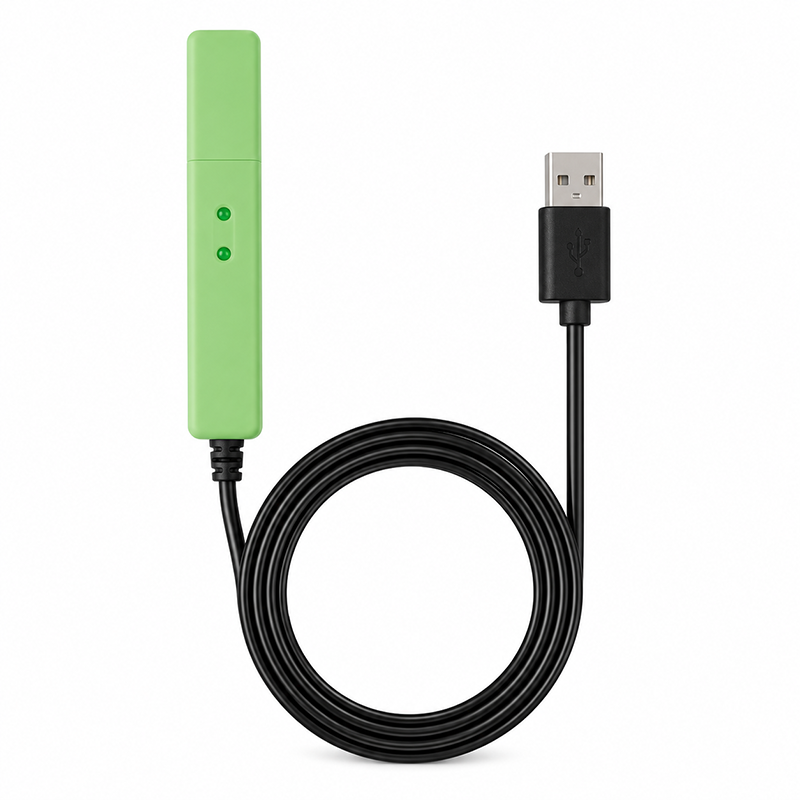
USB powered
Connect to a powered USB source.
No built-in battery
Keep the tester connected during use.
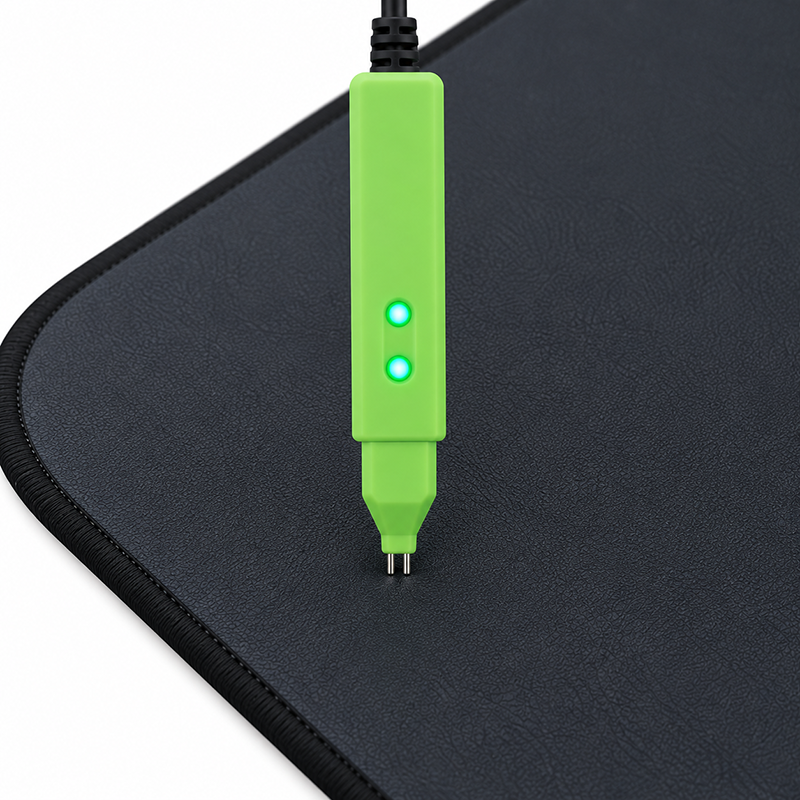
Two-point contact
Both tips touch the surface together.
How it works
Power it. Place both tips.
A straightforward way to check a conductive surface, with USB power and two points of contact.
- 01
Connect to USB power
Plug the tester into a powered USB port. It needs power throughout the test.
- 02
Touch both tips at the same time
Place both metal probe tips against the conductive silver-fiber fabric or conductive leather surface.
- 03
Observe the indicator lights
Watch the tester’s indicator lights while both tips are in contact with the surface.
USB power
Power that fits your workflow.
The tester has no built-in battery. Connect it to a USB power source whenever you use it.
Laptop
Use a powered USB port on a laptop.
Power bank
Connect to a power bank’s USB output.
USB charger
Use a USB charger with a powered output.
USB connection is required during the test.
See where it fits
Made for conductive surfaces.
Use both probe tips together on the material being checked.
 01
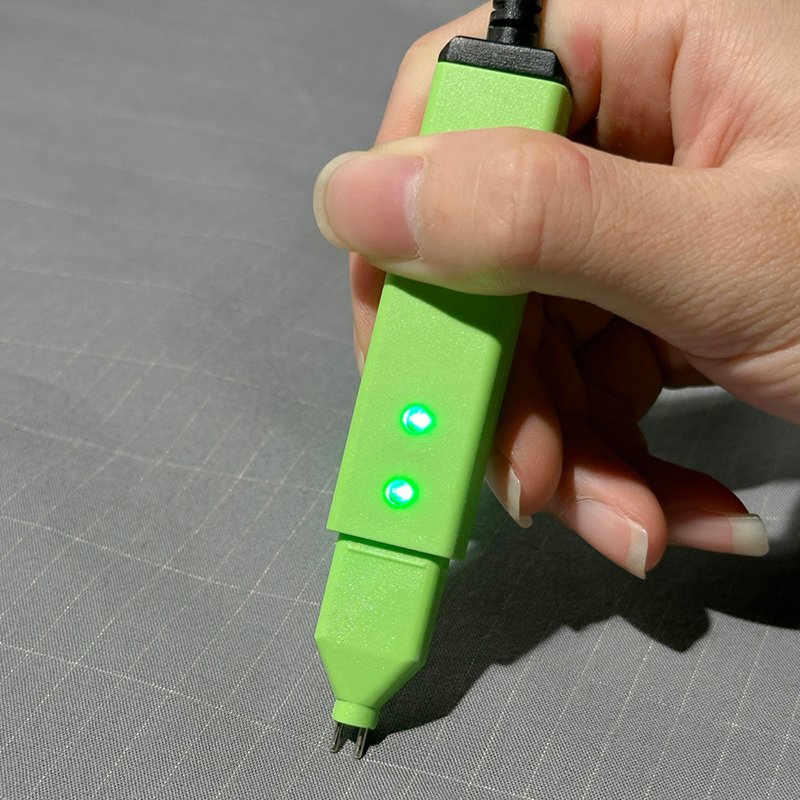
01Conductive silver-fiber fabric
Place both tips against the conductive textile surface at the same time.
02Conductive leather
Both probe tips should touch the conductive leather surface together.
Product details
A closer look at the tester.
A compact tool for hands-on checks of conductive materials in your product collection.
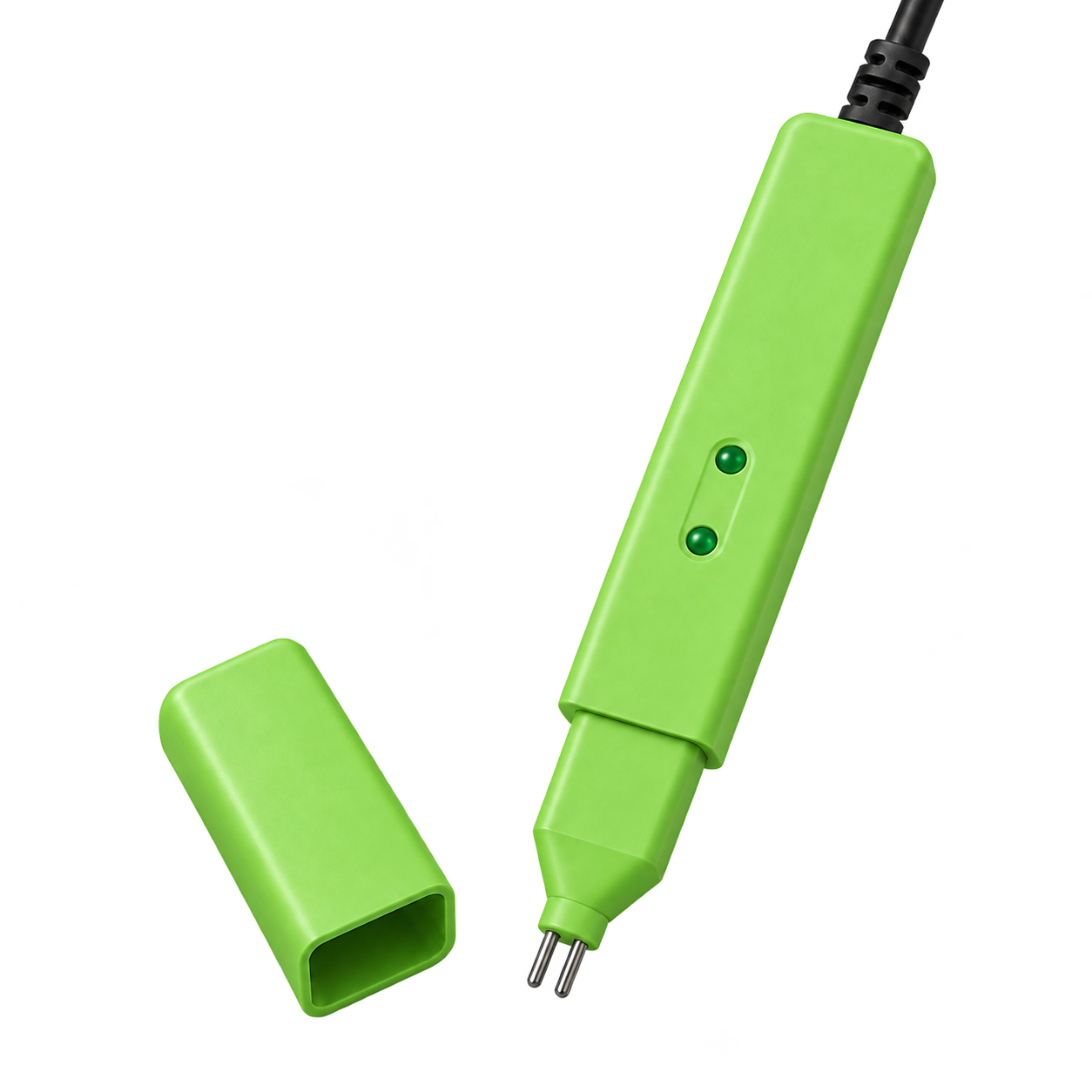
Two metal probe tips
Both tips make contact with the surface being tested.
Indicator lights
Two indicator lights are positioned on the tester body.
Protective cap
The cap covers the probe end when the tester is not in use.
 PROBES & PROTECTIVE CAP
FAQs
Frequently Asked Questions
Find answers to common questions about the grounding continuity tester.
What is the grounding continuity tester used for?
The tester is used to check conductive continuity on material surfaces used in grounding products.
Which materials can I test?
The tester can be used on conductive silver-fiber fabric and conductive leather. Both metal probe tips should touch the conductive surface at the same time.
Does the tester need an external power source?
Yes. The tester is USB powered and has no built-in battery. Keep it connected to USB power while in use.
What USB power sources can I use?
You can use a powered USB port on a laptop, a power bank's USB output, or a USB charger.
How do I use the tester?
Connect it to USB power and remove the protective cap. Place both metal probe tips on the conductive surface at the same time, then observe the indicator lights.
Can I test with only one probe tip?
No. Both probe tips need to touch the conductive surface at the same time to perform the test.
What should I look for on the indicator lights?
The tester has two indicator lights, which illuminate at the same time. During the test, observe them while both probe tips touch the conductive surface.
Does the tester have a protective cap?
Yes. When the tester is not in use, place the protective cap over the probe end to protect the metal tips.
Can I order the tester wholesale or request customization?
For bulk orders or branding and packaging requests, please share your estimated quantity, destination market and requirements. Available customization and quantity requirements can be confirmed when we discuss your project.